Knowhere 2.0: Let agents understand the documents, and find the answers themselves

Parsing a file looks simple. Convert it to Markdown, split it into chunks, drop the chunks in a knowledge base. Done.
Hand an agent the files people actually use at work, and it gets harder fast.
A lot of production documents are messy. Scans, dense tables, engineering drawings. The useful part often sits in the layout: where something is placed, and how a figure relates to the text around it. Push all of that into Markdown and pieces you needed are gone.
Add more files and the agent gets lost. It cannot tell which document to open first, or which chapter to read next. It keeps searching chunks, spending tokens, and still coming back with the wrong answer.
Those are the two problems Knowhere 2.0 is aimed at.
This release does two things. VISION-MAP and text parsing now run together as dual-track parsing, so more of those messy files can land in an agent’s knowledge base. Retrieval also changed: the agent decides where to look, and what to read next.
Dual-track parsing is how a document gets read. Agent-native retrieval is how the agent finds the answer after that.

From VISION-MAP to dual-track parsing
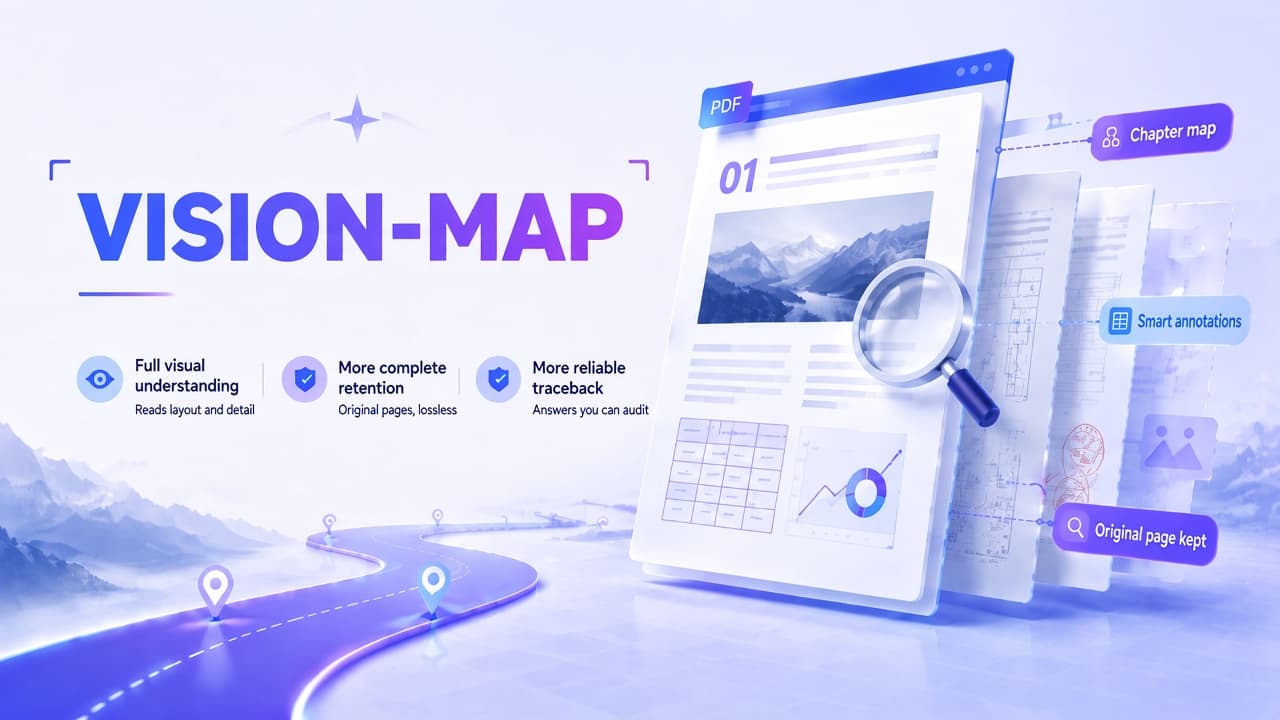
We wrote about VISION-MAP earlier. It is Knowhere’s way of reading a page visually.
Text parsing has a hard time with scans, dense tables, slide decks, and engineering drawings. The information is in the layout, in where a figure sits, in how a table is built, in the annotations and marks. Rewrite the whole page as text and details drop out. Those mistakes then sit in the knowledge base, and the agent keeps using them.
VISION-MAP waits before rewriting the page. It keeps the original and lets a vision model read the page as a page. Knowhere places that page in a chapter, adds a short note on what it covers, and files it into a document map. When the agent needs the source, it can open the page.

In Knowhere 2.0, that visual path and the existing text parser are one system.
Word, Excel, Markdown, and JSON stay on the text track. When the structure is already clean, Knowhere keeps the words and the structure. PDFs and PowerPoint, where the page itself carries the information, can go through the vision track and be read as a whole page.
Both tracks write into the same document memory. A paragraph and a page are nodes on one map. Each one keeps its place in the outline, where it came from, the assets attached to it, and its links to other documents. The agent can search, read, and cite them in the same task.
You can skip converting every file into one format before you build the knowledge base. Clean documents still parse quickly. Drawings, scans, and messy reports can come in even when a perfect transcript is out of reach.
Getting the files in is only half of it.
One file is a different job from a few hundred. “Where is this sentence?” turns into “Which documents do I need for this?” A few similar chunks usually will not get you there.
After the agent can read, it still has to know where to look
A typical RAG setup splits documents into chunks. A question comes in, vector search returns the nearest ones, and the model writes an answer from those.
That is enough for a definition, or for an answer that already sits in one passage.
Harder questions need more than a single top-K search.
A part number can show up in a manual, a construction drawing, and a design-change notice. A company policy may have been revised several times. Top-K will find the keyword. It will not tell the agent which chapter comes next, which version applies, or which piece of evidence is still missing. So the agent rephrases the question, searches again, and tries to glue the snippets together.
MapNav, the navigation we shipped earlier, already followed document structure. In 2.0, that fixed route becomes something the agent can drive itself.

Knowhere gives the agent tools for the outline, the section structure, exact search, fuzzy search, reading a section in full, image and table assets, and links across documents. The agent picks what to call, in what order, and how far to go.
A simple question can be a straight search. A harder one starts with what is in the collection, follows the table of contents into the right sections, and, if the evidence is thin, reads the source, checks the page, or opens another document to compare versions.
It is close to how a person works through a project archive:
- See what is in the pile.
- Guess where the answer lives.
- Follow the outline and the clues.
- Read the passages, pages, and assets that matter.
- Check the other documents.
- Come back with the document, the section, and the page number.
The agent can change tactics while it works. Knowhere hands over the map and the tools. The route depends on the task.
If you want a stable top-K result, classic retrieval is still there. If the task has several steps, let the agent look around.
The same memory works with Knowhere’s own agent, and through MCP with other agents, models, and orchestrators. Citations resolve to a document, a section, a page, and the related assets, so someone can check the source.
Knowhere 2.0 on a real set of files
Dual-track parsing and agent-native retrieval are meant to be used together.
One puts different file types into the same document memory. The other lets the agent search, compare, and check across those files. The difference shows up on a real task.
Take an engineering archive, and a due-diligence review.
An engineering archive is more than a folder of PDFs
A project set might include design specs, construction drawings, equipment manuals, bills of materials, and a stack of design changes. The model number is in the manual. The install location is on the drawing. The safety rule is in the spec. The latest change is in a separate notice.
An engineer wants the install location and the clearance for a given unit, and wants to know whether the latest design change touched the original plan. A keyword search will not answer that.
In Knowhere 2.0, manuals, specs, and change records stay on the text track, with their sections and clauses. Drawings and dense tables go through the vision track.
The agent checks the model in the manual, reads the spec, goes back to the drawing for location, dimensions, and nearby piping, then looks at the change record to see if the plan moved. The answer comes back with the clause, the section, the drawing page, and the change notice.
The different formats land in one knowledge base, and the agent ties together evidence that was spread across the files. An engineer still makes the call. What drops is the time spent hunting through contents, matching model numbers, checking versions, and finding the original drawing.

When the question crosses policies, contracts, and old versions
Due diligence is a different pile: the corporate charter, internal policies, contracts, financials, board minutes, and amendments. Different years, different formats.
A reviewer wants to know what approvals the company needs before it guarantees someone else’s obligation, and whether anything from the last three years still needs a second look. That answer is almost never in one file.
The agent starts with the charter and the internal policies, then moves through board minutes, contracts, and the financials. If a policy was revised, it compares versions and checks which rules were in force when each deal happened.
On a scanned contract, a signature page, or a dense financial table, it can open the original page and check the amount, the date, and the signature. It comes back with a list to verify, each item tied to a document, a section, and a page.
Finding every paragraph that contains the word “guarantee” is the easy part. The useful part is following one question across the files and the versions until the evidence is actually there.

Knowhere 2.0, and what comes next
Knowhere 2.0 also handles very long PDFs, technical atlases, and sets of drawings. Images, tables, and pages stay attached to the section they came from. An answer can keep the document name, the section path, the page number, and the page itself.
We started with document parsing, then VISION-MAP, and now agent-native retrieval. The question has stayed the same: how do you turn the messy files people actually have into memory an agent can keep using?
Knowhere is past 3,500+ stars on GitHub. Thanks to everyone who has tried it, sent feedback, or contributed.

2.0 is a start. If you have files that are hard to parse or hard to search, send them our way, and tell us what still fails. We will keep working on how Knowhere reads documents, how it searches, and how it cites.
Try Knowhere 2.0:
- GitHub: https://github.com/Ontos-AI/knowhere
- Website: https://knowhereto.ai